How to Show Furniture in Lifestyle Photos Without a Studio

How to Show Furniture in Lifestyle Photos Without a Studio
TL;DR
Showing furniture in lifestyle photos without a studio means digitally placing your actual product into a believable room scene using AI, virtual staging, CGI, or a hybrid workflow. Start with a clean product cutout or packshot, generate room context around it, then verify that shape, color, material, and scale stayed accurate before publishing. The room is flexible. The product is not.
What This Actually Means
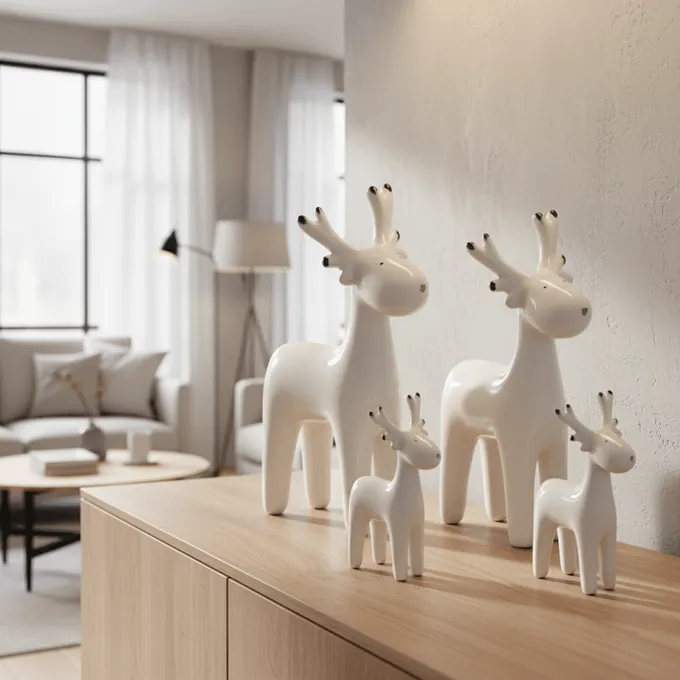
Showing furniture in lifestyle photos without a studio is the process of creating room-context product images digitally instead of photographing furniture in a physical set. A team starts with an accurate product asset (a cutout, packshot, CAD file, or 3D render) and uses AI, virtual staging, CGI, or compositing to place the piece into a believable interior scene.
This is not the same as real-estate virtual staging, where generic furniture gets dropped into empty property photos to help sell a house. Furniture ecommerce staging works in the opposite direction: the product is fixed, and the room is built around it. The sofa, table, rug, or lamp must remain exactly as it is, down to fabric weave, leg finish, cushion count, and dimensions. The room is the variable, not the product.
You will also hear this called AI lifestyle image generation, virtual furniture staging, AI background generation, or product staging. These terms overlap, but they point to the same goal: a product-accurate room image created without moving the product into a physical studio.
showcase turns product cutouts into photorealistic room scenes for Home & Living ecommerce.
Why Furniture Brands Need Studio-Free Lifestyle Images
Furniture is one of the hardest ecommerce categories to photograph well. Products are large, heavy, and expensive to transport. A single sofa can come in dozens of fabric and leg combinations. Building physical room sets for every variant, every season, and every marketplace is slow and costly.
But buyers need more than a white-background packshot. They need to see a sofa in a living room, a rug under a dining table, a wardrobe in a bedroom. Context communicates scale, style fit, and room compatibility in ways that a cutout on white cannot. Baymard Institute’s ecommerce UX research found that 56% of users’ first actions after landing on a product detail page were to explore product images, and that low-quality visuals can undermine both product and brand perception.
The psychology is documented outside ecommerce too. NAR’s 2025 home-staging report found that 83% of buyers’ agents said staging made it easier for buyers to visualize a property as a future home. The context is real estate, not online retail, but the principle transfers: people make better decisions when they can picture a product in a real setting.
The tension is straightforward. Furniture brands need lifestyle context at catalog scale, but traditional photography cannot keep up with the volume of variants, channels, and seasonal refreshes modern ecommerce demands.
Five Methods to Show Furniture in Lifestyle Photos Without a Studio
Not every approach works for every team. Here is how the main options compare for studio-free furniture lifestyle photography.
| Method | Good for | Main weakness |
|---|---|---|
| DIY phone + window light | Small catalogs, small decor items, early tests | Impractical for sofas, beds, tables, and wardrobes |
| Background removal + compositing | Clean packshots, simple neutral backgrounds | Often looks pasted-on without proper shadows and perspective |
| AI lifestyle scene generation | Fast room-scene variations, seasonal refreshes, ad creatives | Needs careful QA for product accuracy |
| CGI / 3D rendering | Exact control, configurable products, AR workflows | Requires 3D assets and specialist work |
| AI + CAD/3D hybrid | Large catalogs needing accuracy and speed | More structured setup than a simple AI tool |
For most furniture sellers, the practical workflow is hybrid. Practitioners on Reddit consistently describe combining real product photos with AI for backgrounds, lighting, lifestyle context, and seasonal variations rather than generating everything from scratch. One thread on r/ecommerce noted that many polished Shopify stores use this mixed approach: simple product capture first, then AI tools for the room scene.
If your current workflow relies mainly on background removal, it is worth understanding how general-purpose editing tools compare to furniture-specific AI studios for lifestyle output.
The Cutout-to-Context Workflow
Here is the practical sequence for creating furniture lifestyle photos without a studio.
Step 1: Start with a clean product asset. Use a high-resolution product photo, transparent-background cutout, CAD file, or 3D render. If the base input is poor (low resolution, cluttered background, inconsistent lighting), the output will be poor regardless of the tool. Quality background removal for products matters more than most teams realize, especially for furniture with thin legs, transparent elements, or fabric fringes.
Step 2: Choose the scene type. Living room, bedroom, dining room, office, hallway, nursery, outdoor patio. The room should match your target customer and the product’s intended use.
Step 3: Generate the scene. Whether you are using AI, CGI, or manual compositing, the tool places the product into the room. Test several variations: different room styles, wall colors, lighting moods, and crops.
Step 4: Check product integrity. This is the step most guides skip and the one that matters most. Zoom in. Did the color shift? Did the fabric texture change? Did the AI add extra cushions or swap the leg finish? A lifestyle image that misrepresents the product is worse than no lifestyle image at all.
Step 5: Export by channel. PDP, marketplace listing, Google Shopping feed, social ad, email campaign. Each channel has different resolution, aspect ratio, and content requirements.
Short, constraint-focused prompts produce cleaner results than long poetic descriptions. WizCommerce’s furniture photography guide recommends keeping prompts simple and specific to maintain the product as the focal point. A prompt like “Modern warm living room, natural daylight, oak floor, neutral walls, realistic shadows, product centered” works better than a paragraph of creative writing.
What Makes a Furniture Lifestyle Image Believable
FurnitureConnect frames successful virtual staging around four visual tests: scale, perspective, lighting, and styling. These are the right categories, but furniture ecommerce needs a fifth.
Scale. Does the sofa look like it actually fits in the room? A three-seater that appears the size of a loveseat, or a coffee table that towers over the couch, breaks believability instantly.
Perspective. Does the product’s camera angle match the room’s camera angle? Mismatched vanishing points are the fastest way to make furniture look pasted in.
Lighting. Do shadows, highlights, and color temperature match across the product and the environment? If the room has warm afternoon light but the product looks like it was shot under cool fluorescents, the image fails.
Styling. Does the room support the product without overwhelming it? The furniture should be the hero, not the decor.
Product integrity. Did the product itself stay unchanged? This is the test that separates ecommerce-grade output from pretty moodboards. For a deeper look at what separates good AI output from generic scene generation, see this guide on photorealistic lifestyle images.
What Can Go Wrong
Studio-free furniture lifestyle images fail in predictable ways. Knowing them helps you catch problems before they reach customers.
- The furniture floats above the floor (missing or wrong contact shadows).
- The rug appears too small or too large for the room.
- Table height does not match chair height in a dining scene.
- Wood grain or fabric weave changes between the product photo and the lifestyle scene.
- The AI invents extra pillows, handles, or accessories not included in the sale.
- Product color shifts under warm or cool scene lighting.
- Reflection and shadow directions are physically impossible.
- The scene looks “too perfect” in a way that triggers distrust.
That last point deserves attention. In ecommerce Reddit discussions, multiple sellers have noted that obviously AI-generated product images can look like a scam to shoppers. The solution is not to avoid AI. It is to pair lifestyle scenes with real product detail shots and packshots so customers have visual anchors they trust.
One home-goods brand owner on Reddit mentioned that the biggest problem was not individual bad images but inconsistent batches: different shadow styles, background tones, and crop ratios across SKUs made the entire catalog feel less legitimate. Consistency across your product line often matters more than perfection on any single image.
Where to Use Lifestyle Furniture Photos (and Where Not To)
A lifestyle image is not automatically a better main image. Placement strategy matters.
| Placement | Recommendation |
|---|---|
| PDP main image | Usually keep the clean packshot. Marketplace rules often require it. |
| PDP secondary images | Strong placement for lifestyle scenes showing scale, room fit, and styling. |
| Marketplace main image | Check rules first. Amazon generally requires product-only main images, with limited category exceptions for sofas and rugs. |
| Google Shopping feed | Google supports a lifestyle_image_link attribute and requires accurate product images with AI metadata preserved where applicable. |
| Paid social and ads | Ideal for room scenes, seasonal variants, and aspirational content. |
| Email and landing pages | Good for campaign storytelling and cross-sell. |
| ”Shop the look” modules | Best for multi-product scenes when every visible SKU links to its product page. |
That last row is important. Baymard’s research found that users frequently become interested in specific products shown in inspirational imagery and grow frustrated when they cannot find them. If a room scene shows a sofa, rug, lamp, and coffee table, make each item findable. For teams building these kinds of scenes, understanding multi-product staging strategies is worth the time.
AI vs CGI vs Real Photoshoot
For teams deciding how to create furniture lifestyle photos without a physical studio, this is the core tradeoff.
| Option | Best use | Main advantage | Main tradeoff |
|---|---|---|---|
| Real studio shoot | Flagship launches, premium campaigns | Maximum art direction | Expensive, slow, cannot scale variants |
| Manual CGI / 3D rendering | Configurable products, exact control | Precision and repeatability | Requires 3D assets and specialists |
| AI lifestyle generation | Catalog scale, variants, seasonal refreshes | Fast, flexible, lower cost per image | Needs rigorous QA for accuracy |
| AI + 3D/CAD hybrid | Large furniture catalogs | Best balance of accuracy and speed | More structured setup |
LinkedIn practitioners from furniture visualization teams frame the current challenge as a scale-plus-control problem. One product lead noted that furniture brands often need thousands of lifestyle images across variants, but standalone AI may not stay consistent without structured inputs and human review. AI is a production multiplier, not an unsupervised replacement for art direction.
The real cost driver is variants. One sofa in 12 fabrics across 4 room styles and 3 crop formats produces 144 lifestyle images. A physical studio cannot refresh that quickly. For teams weighing their options, this AI vs CGI comparison breaks down where each method fits best. And if you are evaluating whether general AI background tools can handle furniture-grade output, the key question is whether the tool preserves product details at the level your PDPs require.
QA Checklist Before Publishing
Run through this before any AI-generated furniture lifestyle image goes live:
- Product shape unchanged?
- Correct color, finish, and material?
- Right variant shown (fabric, leg option, size)?
- Fabric texture and wood grain still plausible?
- Hardware, legs, cushions, seams, drawers, and handles accurate?
- No invented accessories or included items?
- Room scale believable (check against doors, windows, nearby objects)?
- Contact shadows realistic and directionally consistent?
- Perspective and camera angle match across product and scene?
- Room style matches brand identity?
- Product is clearly the focal point?
- Image readable on mobile?
- Resolution high enough for zoom?
- Marketplace and feed rules checked?
- AI metadata and labeling preserved where required?
Glossary of Related Terms
Lifestyle product photo. An image showing a product in a realistic use context, like a sofa in a living room. Not the same as a packshot.
Packshot. A clean product image on a white or neutral background, designed for inspection. Marketplaces typically require these as main images.
Product cutout. A product image with the background removed, usually exported as a PNG with transparency. This is an input for lifestyle generation, not a final image.
Virtual furniture staging. Digitally placing furniture into a room scene. In ecommerce, the specific product must be preserved exactly. In real estate, the furniture is typically generic.
AI background generation. Using AI to create or replace the environment around a product. Ranges from simple background swaps to full room creation.
Product integrity. The degree to which a generated image accurately represents the product being sold. This is the central trust issue in AI-generated ecommerce imagery.
Multi-product staging. Creating a lifestyle scene with several sellable SKUs together, like a sofa, rug, side table, and lamp. Should be shoppable when possible.
Shoppable lifestyle image. A room image where depicted products link to their respective product pages, preventing the frustration that arises when users want a specific item from an inspirational image but cannot find it.
Brand-consistent image generation. Producing images with the same camera angle, crop, lighting mood, shadow style, and room aesthetic across all SKUs so the catalog feels cohesive rather than cobbled together.
Frequently Asked Questions
What is it called when you put furniture into a room photo digitally?
The most common terms are virtual furniture staging, AI lifestyle image generation, AI background generation, and product staging. They all describe the process of placing a specific product into a digitally created or modified room scene.
Can AI lifestyle photos replace real product photos entirely?
Not for most furniture brands. AI excels at creating room context, seasonal variations, and ad creatives at scale. But accurate packshots, detail close-ups, and dimension references still need to come from real product assets or controlled 3D renders. Use AI to multiply your base photography, not to replace it.
Are AI-generated furniture lifestyle images allowed on Amazon?
Amazon generally does not allow lifestyle images as the main product image, requiring a clear product-only view instead. Limited exceptions exist for categories like sofas, beds, and rugs. Lifestyle scenes work well as secondary images in the product gallery. Always check current category-specific guidelines before publishing.
What kind of input photo works best for showing furniture in lifestyle photos without a studio?
High-resolution, well-lit, consistent angle, accurate color, minimal clutter. A clean product cutout on a transparent background is ideal. CAD files and 3D renders also work for many AI and CGI workflows.
How do I stop AI from changing my product?
Use tools that preserve the original product asset rather than regenerating it. Keep prompts focused on the room, not the product. And always run the QA checklist: zoom in, compare against the original, and check fabric, color, dimensions, and hardware before publishing.
How many lifestyle images should a furniture product page have?
There is no universal number, but most strong furniture PDPs include at least one room-context image alongside the main packshot, detail shots, and dimension references. The goal is to give shoppers enough visual information to make a confident purchase decision.
Do I need to label AI-generated product images?
Google Merchant Center requires AI-generated images to retain metadata indicating they were AI-generated. The EU AI Act introduces transparency requirements for synthetic content. Stripping AI metadata from generated product images creates compliance risk. For a closer look at the current legal picture, see this overview of AI image regulations.
Further Reading
- Photorealistic Lifestyle Images with AI - what separates generic scene generation from product-accurate output
- AI vs CGI Product Images: Guide 2026 - where each method fits best for furniture teams
- Multi-Product Staging and Cross-Selling - how to make room scenes with multiple shoppable SKUs
If you have product cutouts and need room scenes, variants, or short videos for your Home & Living catalog, get started with showcase - 40 free credits, no credit card required.
About the author

Author
Tim Hoffmann
Chief Product Officer, getshowcase.ai
Tim Hoffmann leads the product strategy for the AI image studio at showcase (getshowcase.ai). He brings years of e-commerce experience in product data, marketplace integrations, and visual content creation. His focus: helping Home & Living retailers turn product cutouts into photorealistic lifestyle images and room scenes in minutes - without expensive shoots, with measurably better conversion. Tim shares practical strategies for product images that perform on marketplaces and in your own shop.