Nano Banana Pro or ChatGPT Image: Which Model for Product Images?
A practical comparison by the Showcase team: Four products, each with its reference and actual Nano Banana Pro and ChatGPT Image results.
A beautiful living room is of little use if the sofa in it has changed. For product images, the first question is: Does the product still match your reference? Room styling, lighting and resolution come next.
Nano Banana Pro and ChatGPT Image offer different starting points. This guide helps you choose one and judge the result against your own product. Coming from the model picker? Jump to Settings in Showcase for formats, resolution and credits.
Which model should I choose?
| Your main goal | Start with | Check carefully |
|---|---|---|
| Preserve the view of your product cutout | ChatGPT Image · Sunburst | Check product details and room perspective separately |
| Develop a styled room and creative scene variations | Nano Banana Pro | Check for unwanted rotation or changes in shape |
| Generate an image at specific pixel dimensions | ChatGPT Image · Sunburst | Showcase applies edge-length and aspect-ratio limits |
Our starting recommendation: If an unwanted rotation would make the image unusable, try Sunburst first. If you are developing a visual style, try Nano Banana Pro. These are starting points for your own test, not a universal ranking.
Why product fidelity comes before a beautiful scene
A small change can make a sectional sofa depict the wrong variant: the chaise moves to the other side, an armrest becomes rounder, or three seat cushions become two. A shelf can acquire extra compartments; a table can gain different legs or a thicker top.
Check view, silhouette and structural features first. Then inspect upholstery, wood grain, seams, colours and hardware. Finally, assess scale, contact with the floor and shadows.
A higher output resolution does not fix these changes. A sharp image of an altered product is still unsuitable for the listing.
Advantages, disadvantages and similarities
| At a glance | Nano Banana Pro | ChatGPT Image · Sunburst |
|---|---|---|
| Advantages | A useful starting point for room styles, decoration and creative scene variations. | Preserves the product view more closely in our examples. Also supports custom pixel dimensions. |
| Disadvantages | Changes the product viewpoint more often in our examples. No custom pixel dimensions in Showcase. | Room perspective can feel wrong even when the product is well preserved. Custom formats have size and aspect-ratio limits. |
| Similarities | Both create lifestyle images from product cutouts and offer 1K, 2K and 4K in Showcase. Base generation costs 2, 3 or 4 credits respectively. Both can change product details or obscure them with added decoration – check the result against your reference. | |
Nano Banana Pro: developing the scene
Nano Banana Pro belongs to Google’s Gemini family. Google positions it for complex visual tasks and precise creative control. Source: Google’s model overview
In Showcase, it is a useful starting point for exploring room styles, decoration and lighting. Evaluate the scene and the product depiction separately.
Our observation so far: In the examples reviewed by our team, Nano Banana Pro changed the view of the input cutout more readily than Sunburst. A convincing new camera angle can still miss the brief.
Tip for early ideas: In supported modes, Nano Banana 2 (“Nano Banana · Fast”) lets you explore variations using fewer credits before developing an idea with Pro or ChatGPT.
ChatGPT Image: Sunburst for reference preservation and custom sizes
Here, ChatGPT Image means the GPT Image 2.5 Sunburst integration in Showcase. fal positions Sunburst around fine detail and controlled editing. Source: fal’s model overview
For our customers, one observation has been particularly useful: Sunburst preserved the view and orientation of the input cutout better in the examples reviewed by our team. If you already have a suitable product view and want to add a setting, that is a good reason to try it first.
This is not a promise of pixel-perfect preservation. Upholstery, edges, proportions and small parts still need inspection. An action such as rotating a product deliberately asks for a new view; retaining the reference angle would not be the right success criterion there.
Another benefit in Showcase is custom sizing. You can specify a width and height, such as 1600 × 1200 pixels, when your layout already has fixed dimensions.
Image comparison: what survives from the original?
These four examples show where the product is preserved and where it changes. The new viewpoint is particularly clear in the cabinet example. The grey sofa also reveals a Sunburst limitation: Preserving the product does not automatically create a spatially convincing scene.
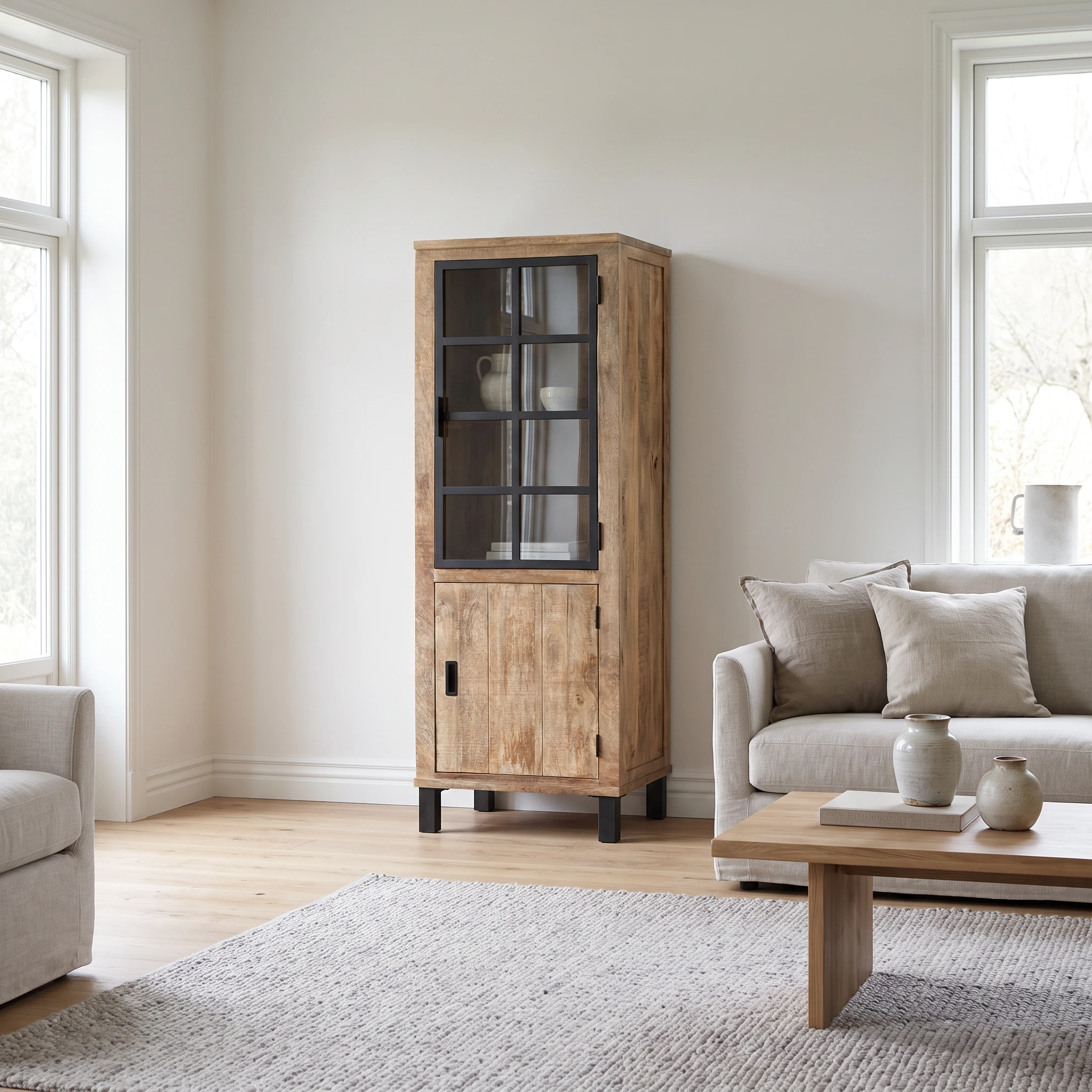
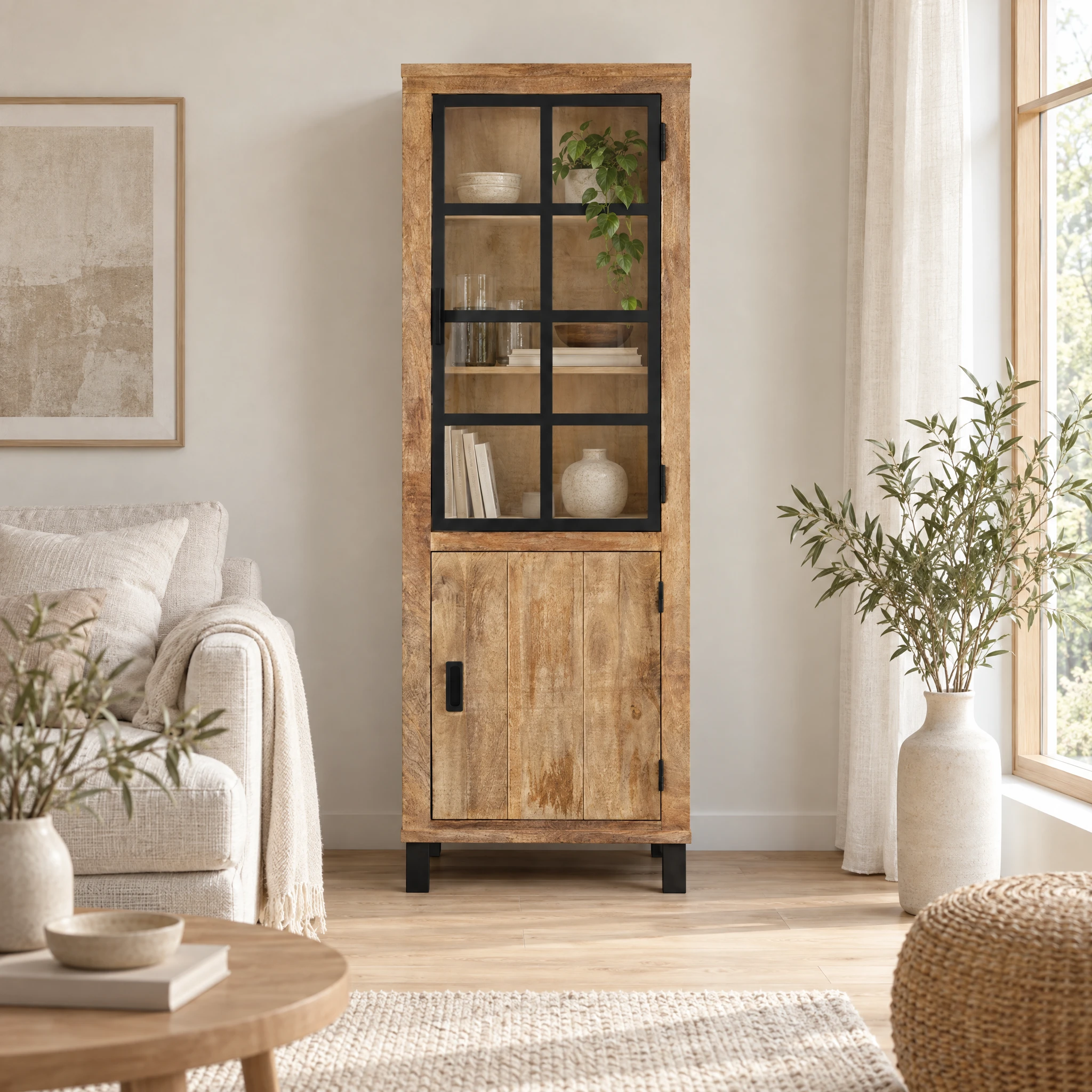
Tall cabinet: does the front view stay frontal?
The reference looks straight at the glass door. Nano Banana Pro creates an angled view with the right side visible. ChatGPT keeps the frontal view more closely. Both add decoration inside the cabinet. If the brief calls for an empty cabinet, that also needs checking.
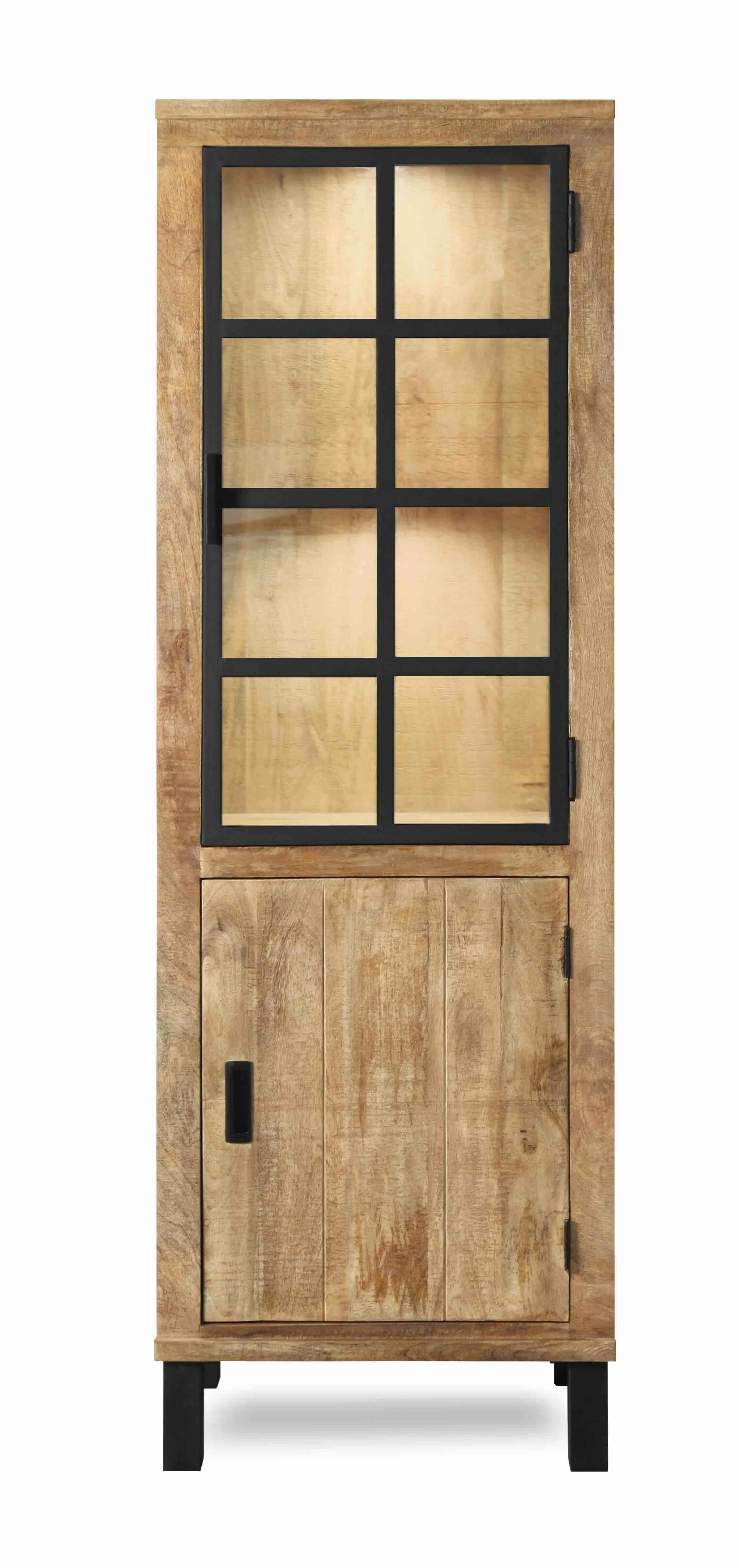
Original cutout
Nano Banana Pro
2048 × 2048 px
ChatGPT Image · Sunburst
2048 × 2048 px
Nano Banana Pro reveals the right side, creating a new view. ChatGPT stays closer to the frontal reference. Both add objects inside the cabinet, so its interior is also changed.
Select an image to open it at full resolution.
View prompt
Place the tall cabinet into a modern living room.
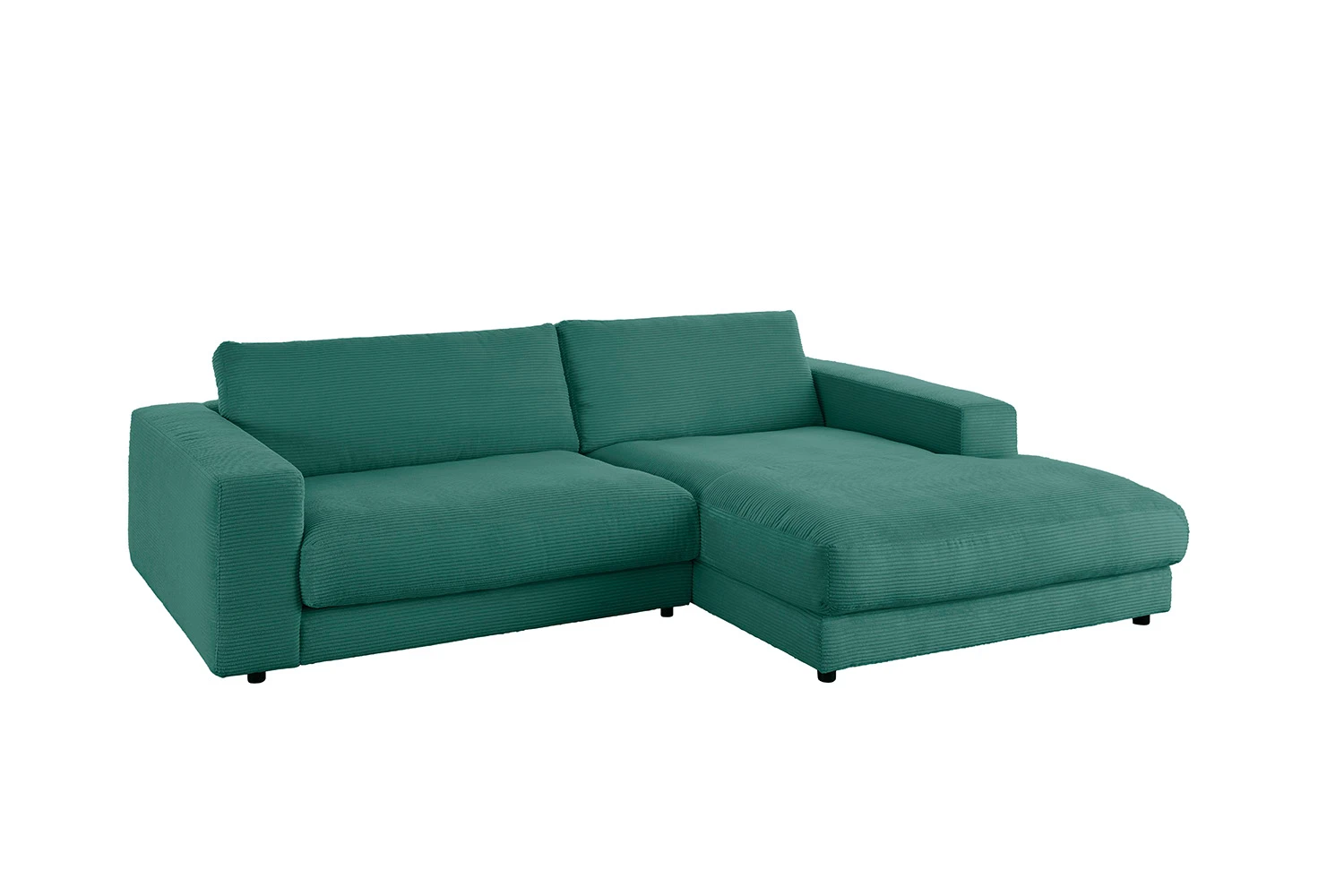
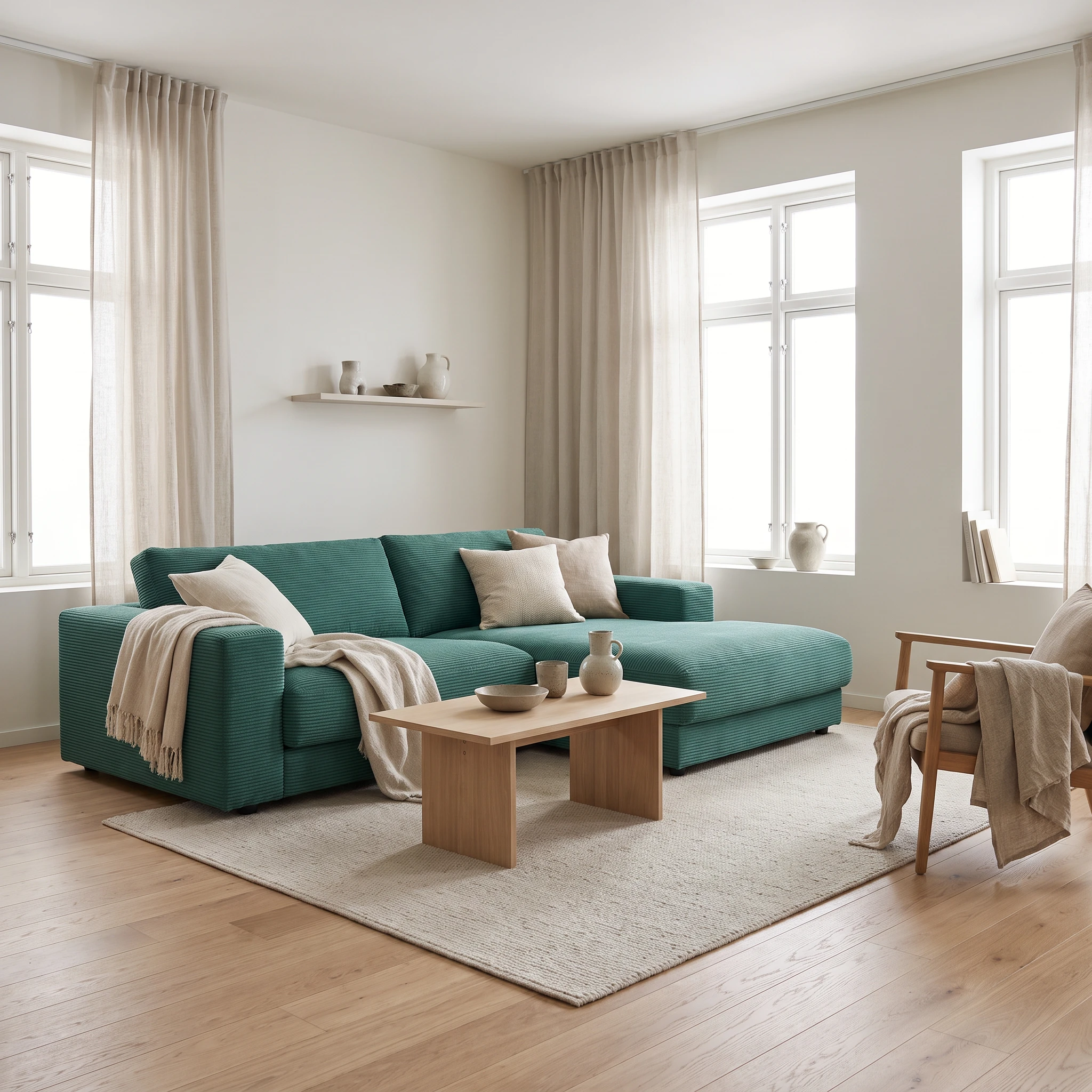
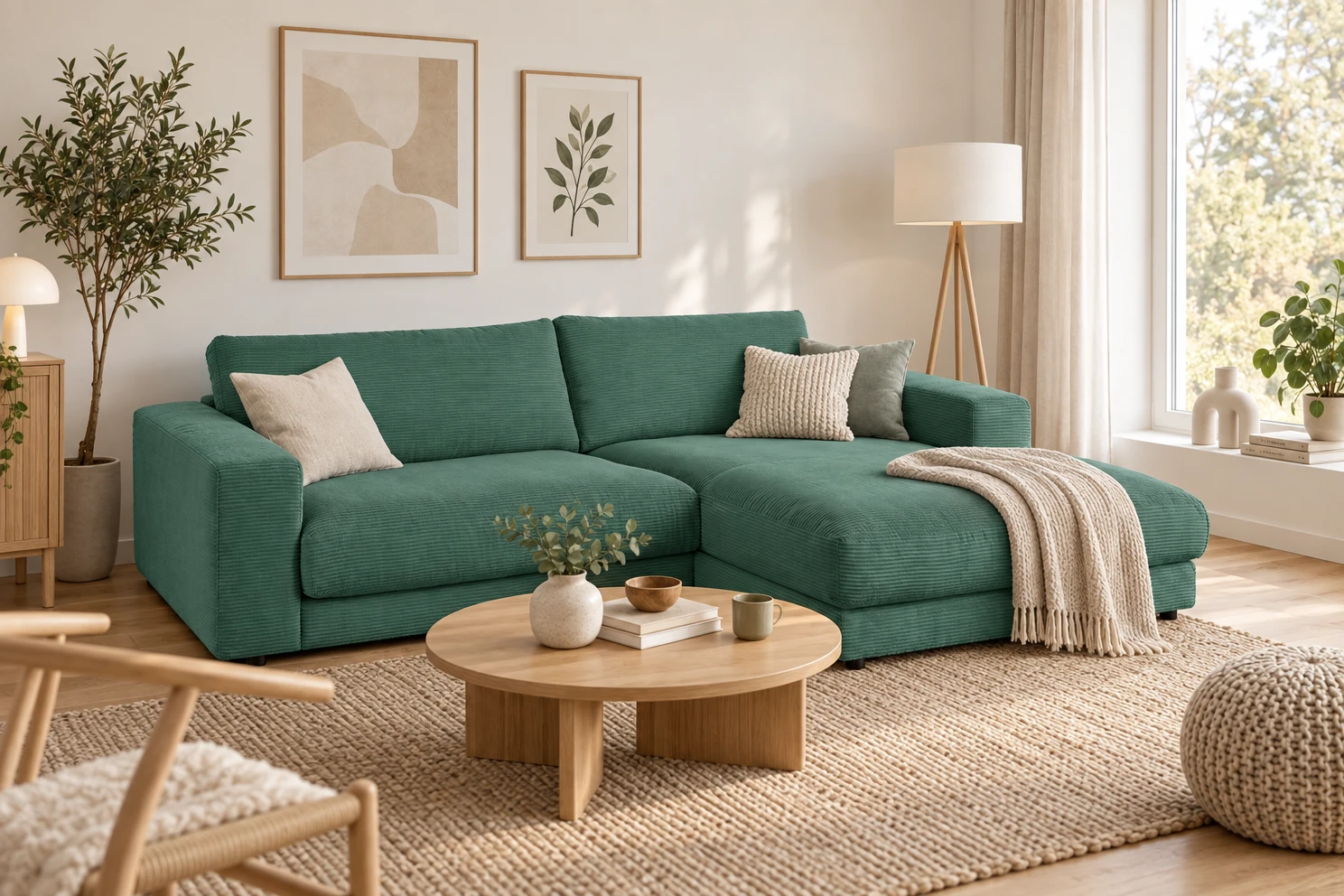
Green sofa: comparing perspectives
The armrests and visible seating surfaces make the perspective easy to compare: Nano changes the viewpoint more, while ChatGPT stays closer to the reference.
Original cutout
Nano Banana Pro
2048 × 2048 px
ChatGPT Image · Sunburst
1488 × 992 px
Nano uses a lower-looking viewpoint; ChatGPT is closer to the cutout view.
Select an image to open it at full resolution.
View prompt
Add a skandinavian room around the sofa
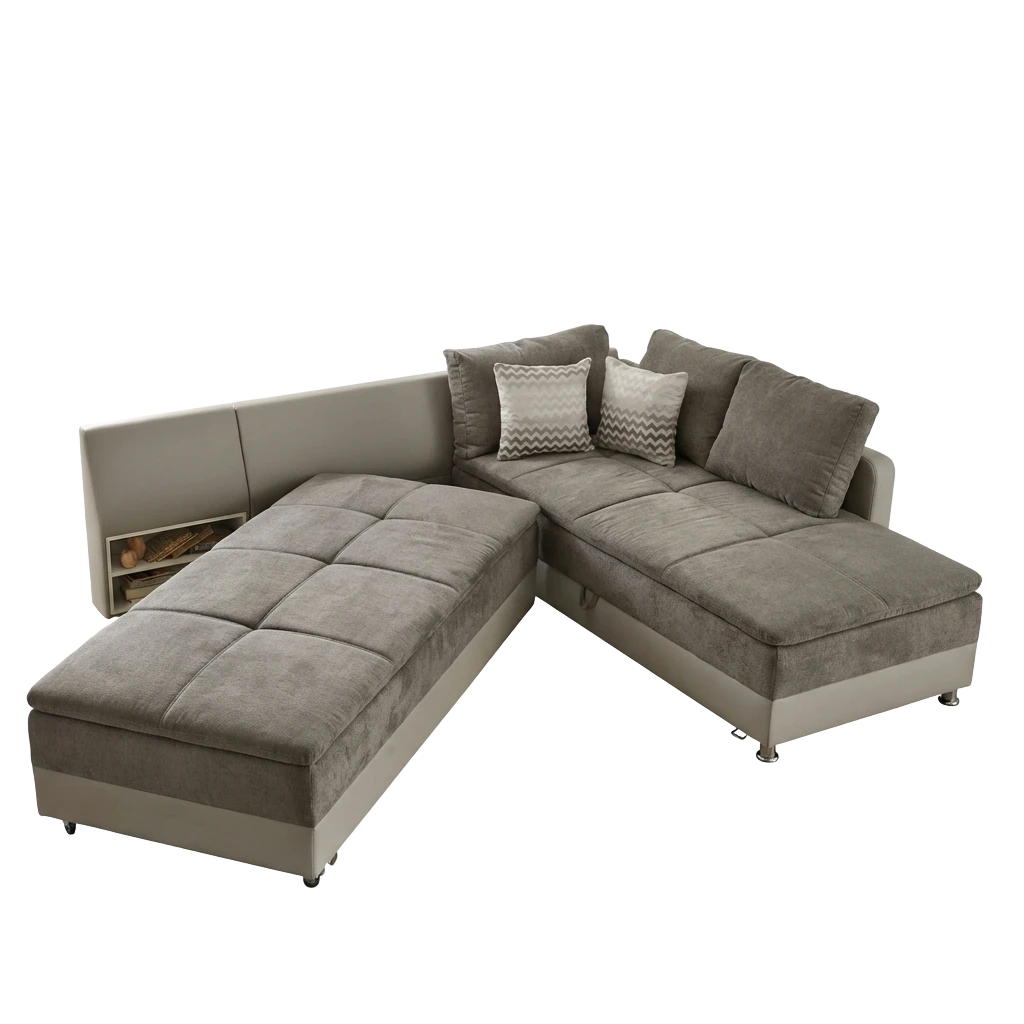
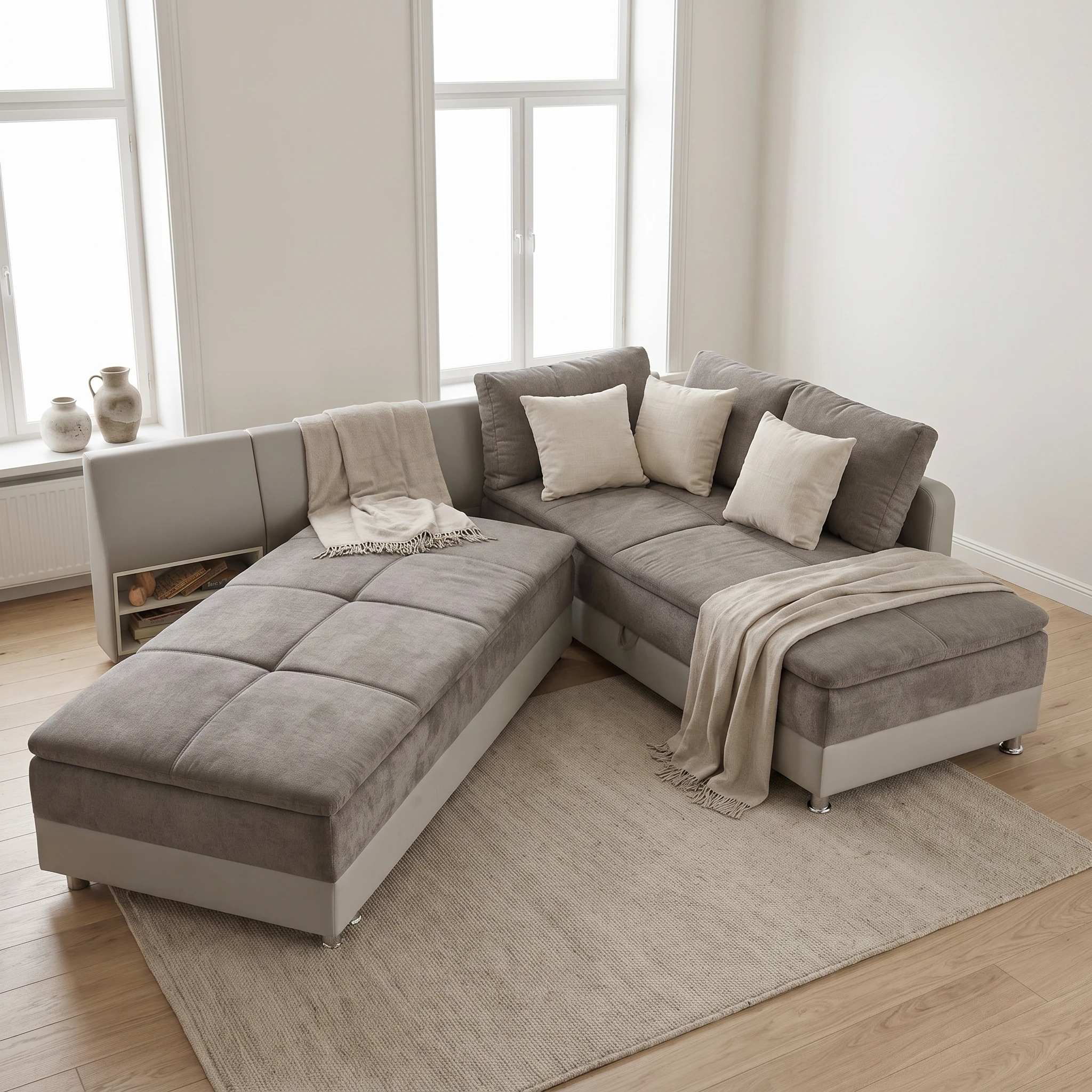
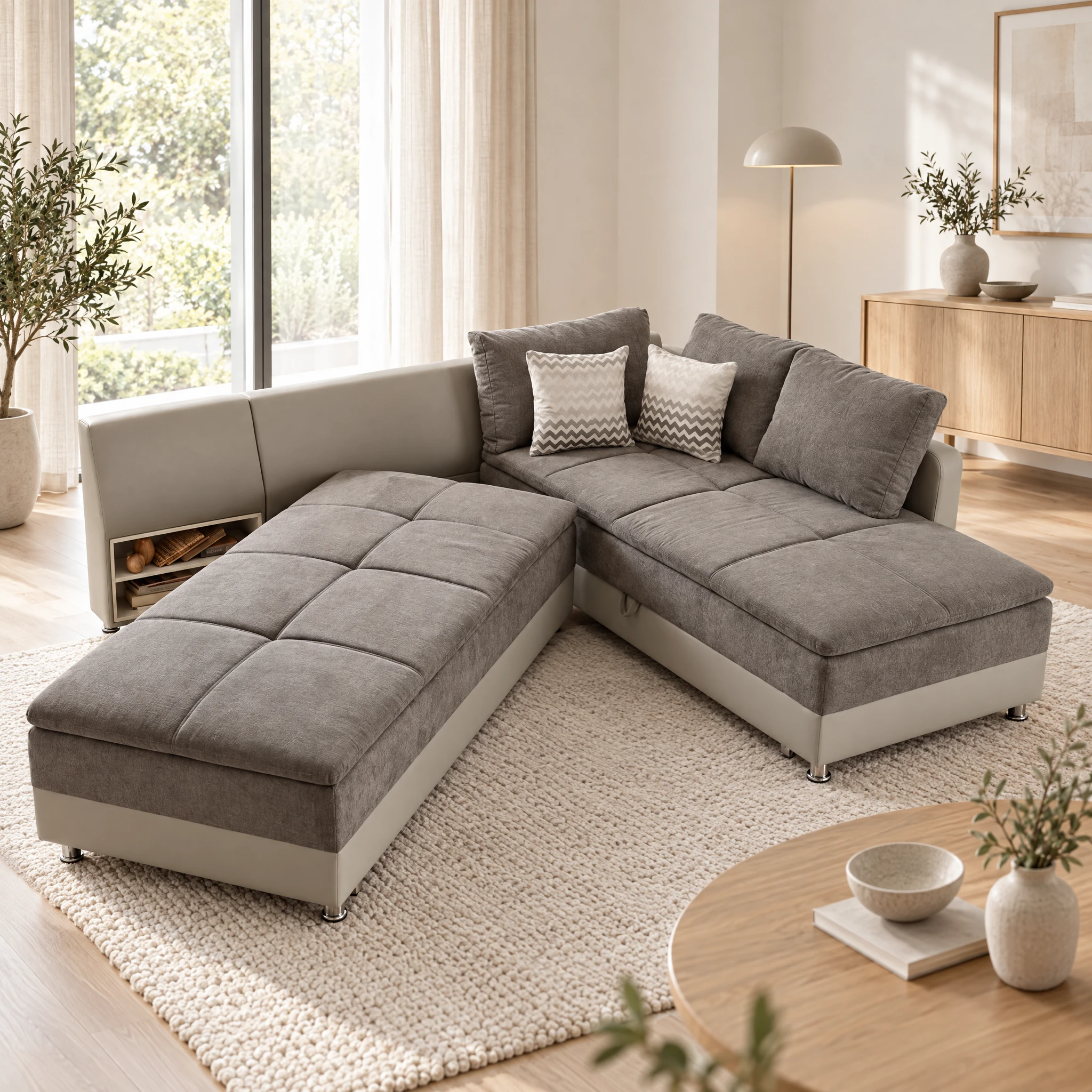
Grey sofa: better product preservation, difficult room perspective
The two patterned cushions provide a concrete comparison: ChatGPT keeps them closer to the reference, while Nano replaces them with light cushions and adds throws. Yet the ChatGPT result raises a separate question: does the elevated view of the sofa fit the view of the surrounding room?
Here, the combination of the high product viewpoint and the window and sideboard perspective does not feel entirely natural. Sunburst can preserve the product better while still struggling to build a room that fits its perspective. Check product features and spatial plausibility independently. A convincing room on its own may still be incompatible with the camera angle of the cutout.
Original cutout
Nano Banana Pro
2048 × 2048 px
ChatGPT Image · Sunburst
2048 × 2048 px
ChatGPT keeps the two patterned cushions and the visible product view closer to the reference. Nano replaces the patterned cushions and adds throws. At the same time, ChatGPT’s elevated view of the seats does not feel naturally aligned with the window and sideboard perspective. Product fidelity and spatial plausibility need separate checks.
Select an image to open it at full resolution.
Red sofa: three ChatGPT variations
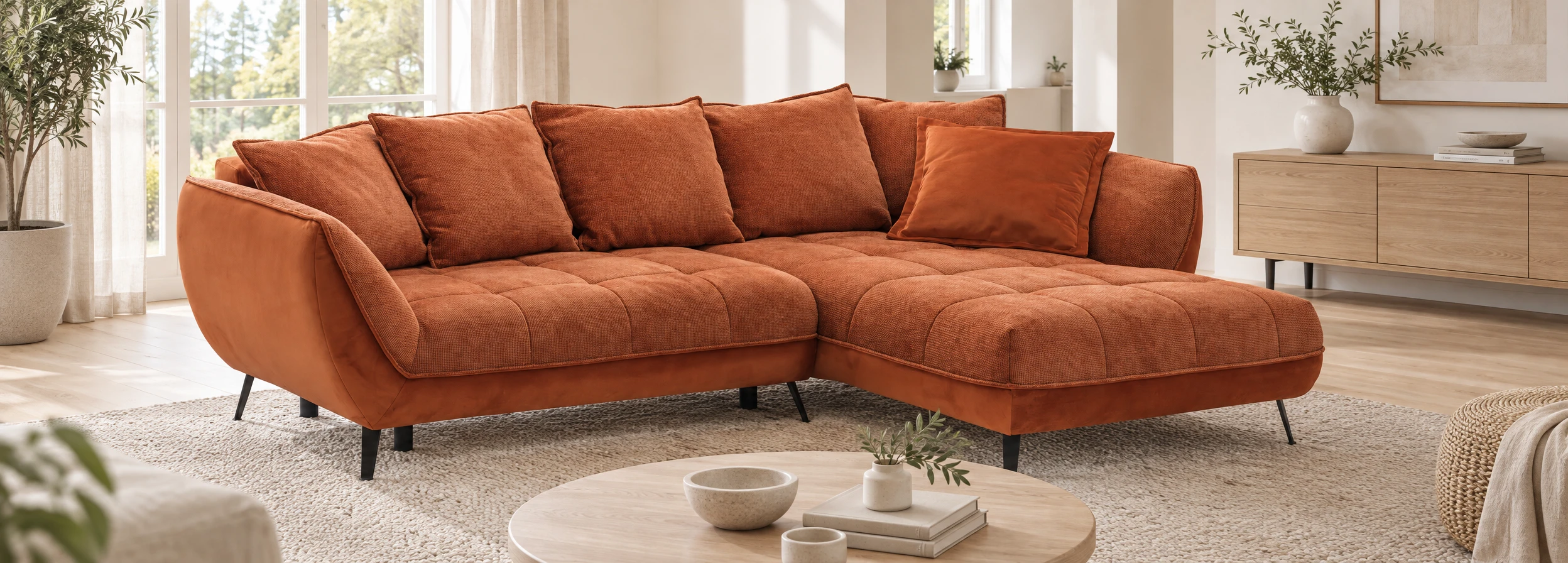
Different living rooms, a similar product view: the ChatGPT variations keep the red sofa’s orientation closer to the cutout. Nano Banana Pro shows it more from the side. Look closely at the black feet, tufting and cushion arrangement – these details can change even when the perspective stays similar.
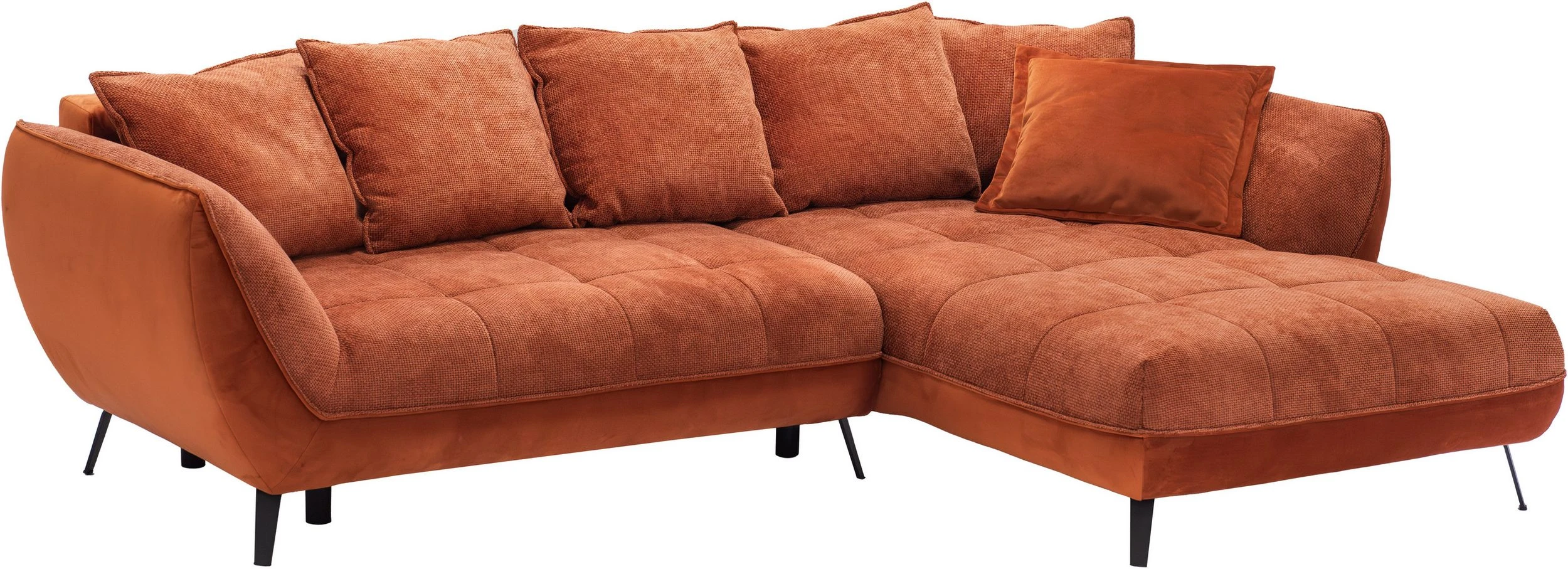
Original cutout
Nano Banana Pro
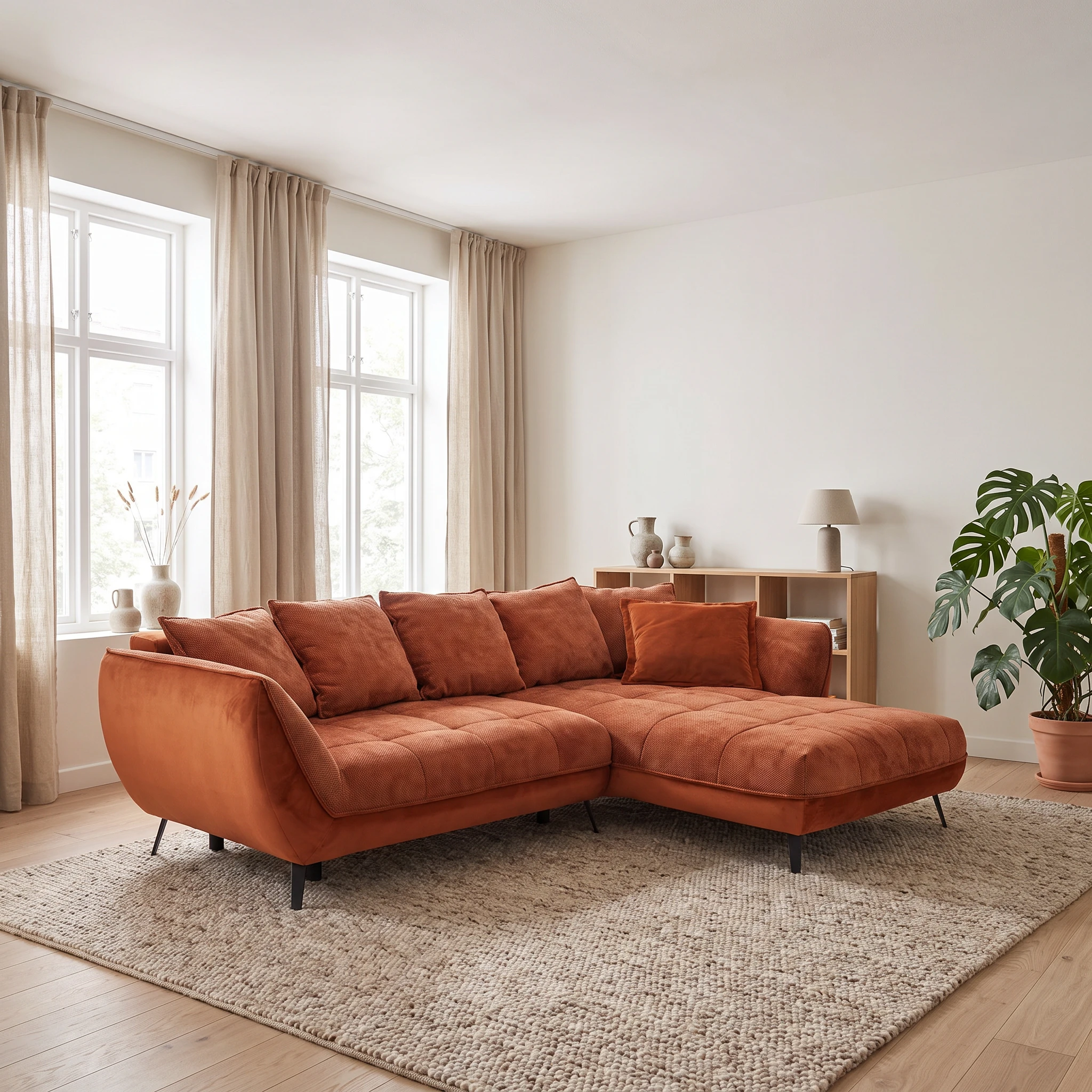
2048 × 2048 px
ChatGPT Image · Sunburst · 1
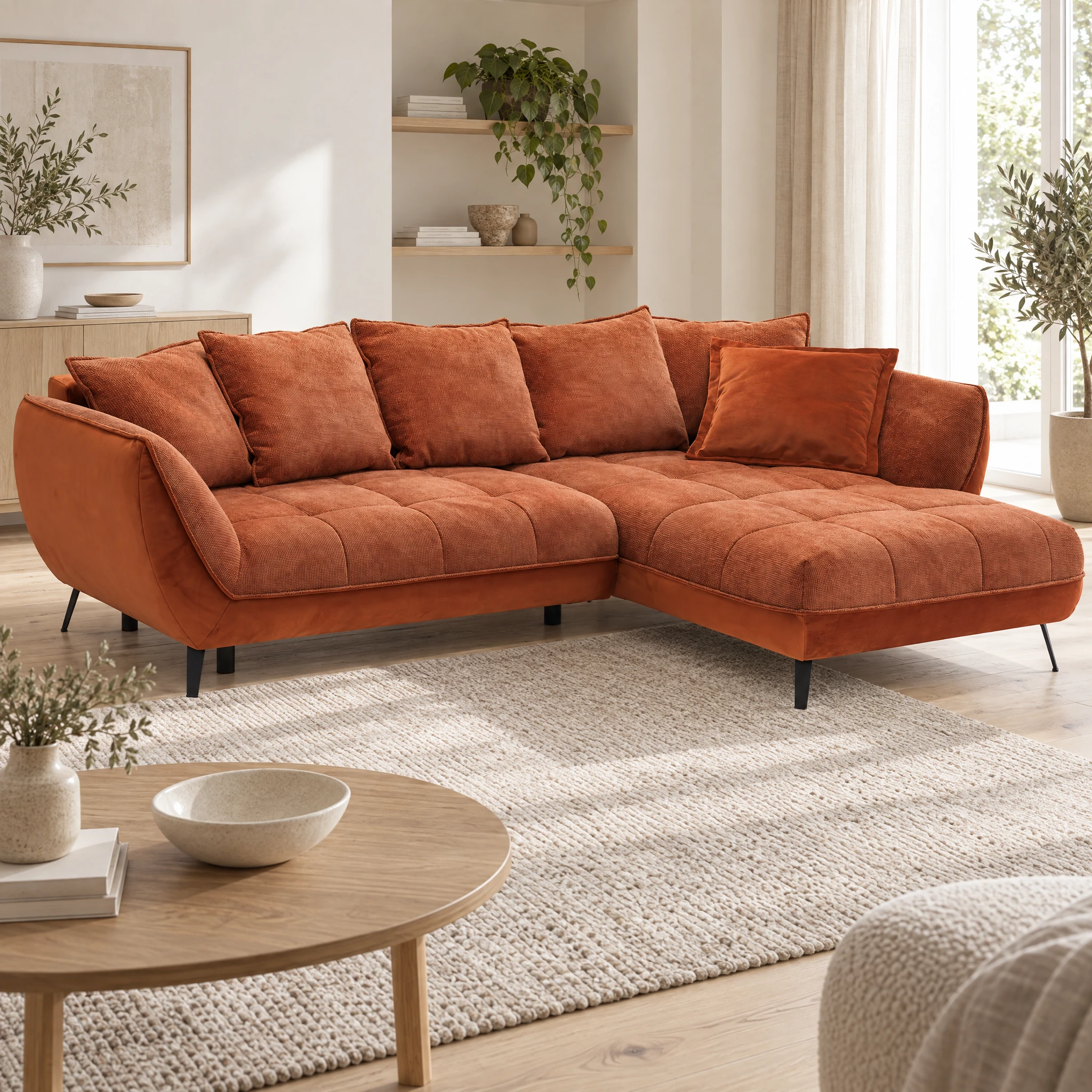
2048 × 2048 px
ChatGPT Image · Sunburst · 2
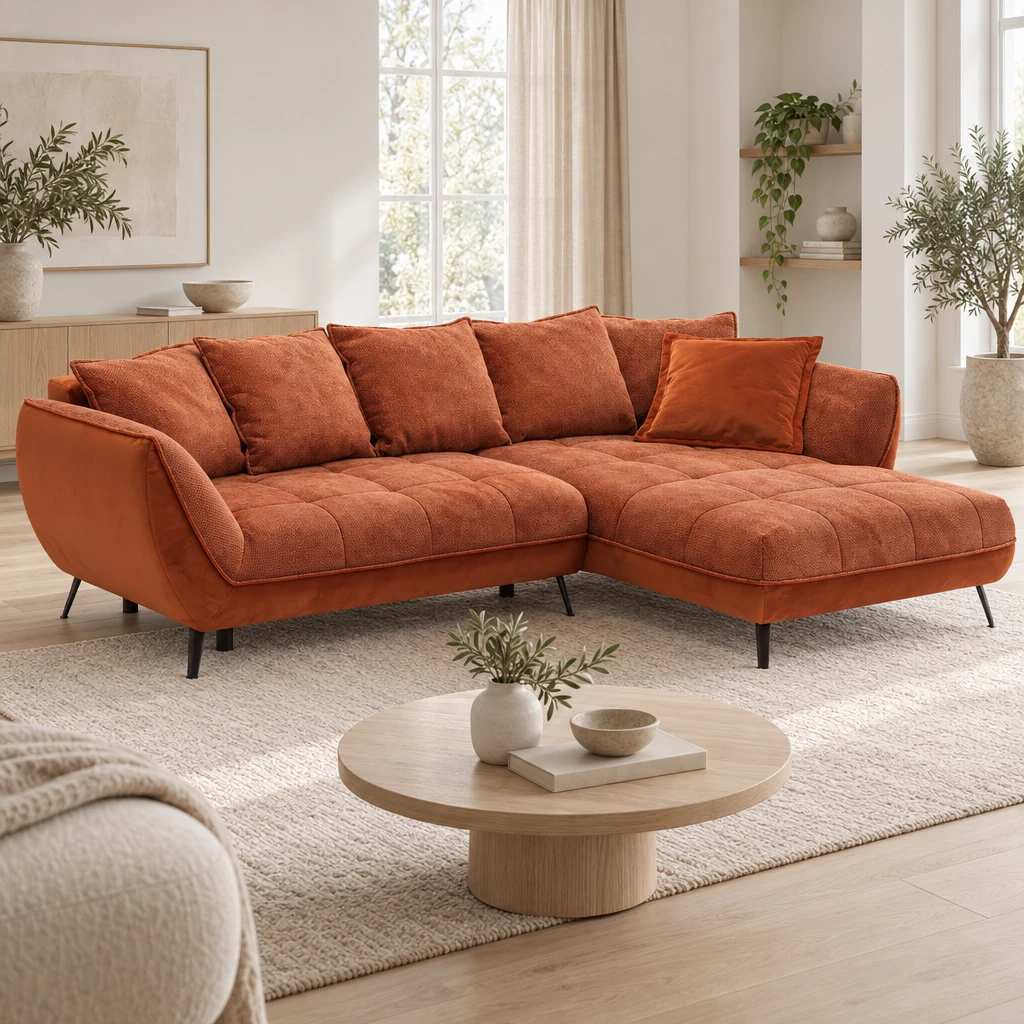
1024 × 1024 px
ChatGPT Image · Sunburst · 3
2496 × 896 px
The three ChatGPT results show different rooms and framing. Their overall view stays closer to the wide reference; Nano exposes more of the left outer side. Differences in individual feet and upholstery details still need checking. Output formats and pixel dimensions differ.
Select an image to open it at full resolution.
View prompt
Erstelle eine fotorealistische Milieuaufnahme des Referenzprodukts in einem hellen skandinavischen Wohnzimmer. Heller Eichenboden, offwhitefarbene Wände, natürliche Leinentextilien, ein dezenter Wollteppich und sparsam eingesetzte Keramik schaffen eine ruhige, wohnliche Atmosphäre. Klare Linien, großzügige Freiflächen und zurückhaltende Dekoration. Platziere das Produkt als zentralen Blickfang, vollständig sichtbar und mit realistischen Größenverhältnissen. True-Tone Licht Modus Hochwertige Interiorfotografie mit klaren Details, ausgewogener Belichtung und natürlicher Perspektive. Keine Menschen, keine Schrift, keine Logos hinzufügen.
Settings in Showcase
The following describes the new model-selection experience in Showcase. Provider APIs may expose different options.
Choose the model and start generating
Generate opens the settings dialog. Choose the model and available output options there. The Generate button inside the dialog shows the current credit total and starts the job. In workflows, choose models on the individual nodes.
1K, 2K or 4K?
Choose a size for its intended use: 1K for initial inspection, 2K for larger displays, and 4K when you need larger files. Check the requirements of your store or layout.
For Sunburst in Showcase, these tiers deliver a long edge of 1024, 2048 or 4096 pixels. 4K includes upscaling. Nano’s labels describe model-specific resolution tiers, not identical pixel dimensions across every aspect ratio.
Aspect ratios and custom dimensions
For regular generation tasks, choose from the available aspect ratios. ChatGPT Image also supports custom pixel dimensions: whole numbers from 64 to 4096 pixels per edge, with an aspect ratio between 1:3 and 3:1. The longer edge determines the credit tier.
Find the right model for your catalogue
- Choose three representative products: one with clear geometry, one with a challenging material and one with small distinctive details.
- Use the same original cutout, references and task description. Keep the mode, aspect ratio and output tier consistent where possible.
- Generate several results with each model. Record actual settings, time and credits, rather than keeping only the best result.
- Mark unwanted product changes before judging the scene. A beautiful interior does not compensate for the wrong product variant.
- Compare effort per usable image: generations, credits and correction work together.
Example test instruction: “Place the product from the reference in a bright living room with an oak floor and soft daylight from the left. Preserve the reference view, orientation, shape and all product features. Add only the surroundings and an appropriate contact shadow.” This is a suggested test brief, not the prompt of an existing result shown here.
Frequently asked questions
About the author

Author
Tim Hoffmann
Chief Product Officer, getshowcase.ai
Tim Hoffmann leads the product strategy for the AI image studio at showcase (getshowcase.ai). He brings years of e-commerce experience in product data, marketplace integrations, and visual content creation. His focus: helping Home & Living retailers turn product cutouts into photorealistic lifestyle images and room scenes in minutes - without expensive shoots, with measurably better conversion. Tim shares practical strategies for product images that perform on marketplaces and in your own shop.