Scale Product Photography Without Physical Shoots: 2026
Scale Product Photography Without Physical Shoots: 2026
TLDR
Scaling product photography without physical shoots means creating large volumes of ecommerce product images from digital inputs (cutouts, packshots, CAD files, sketches) rather than staging every SKU in a studio. The workflow combines AI generation, CGI, background removal, relighting, and human quality assurance to produce accurate, brand-consistent visuals at catalog speed. It does not mean inventing products from text prompts. It means preserving product truth while multiplying the scenes, variants, and formats around it.
Definition: Scaling Product Photography Without Physical Shoots
Scale product photography without physical shoots is a production method for creating many ecommerce-ready product visuals from digital product inputs, instead of staging and photographing every SKU, variant, and scene in a physical studio. The workflow typically uses AI image generation, CGI rendering, background removal, relighting, upscaling, and human QA to produce accurate, brand-consistent images and short videos.
Here is the common confusion worth clearing up early: this does not mean generating a fake product from a text prompt. For ecommerce, the safest and most effective workflows start with a real product reference, whether that is an approved photo, a clean cutout, a CAD model, a technical drawing, or a material swatch. AI then scales the context around the product (rooms, props, lighting, backgrounds, crops, variants) without changing what the buyer will actually receive.
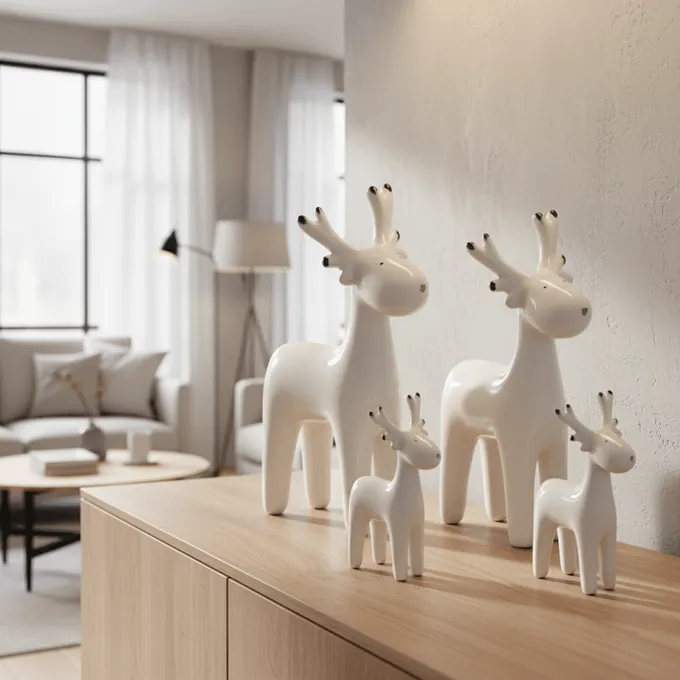
A concrete example: a furniture brand uploads a sofa cutout and generates a clean white-background packshot, places the sofa in several room styles, creates matching cross-sell scenes with a rug and coffee table, produces color and material variants, upscales final stills, and creates a short PDP video. No set was built. No photographer was booked. The product remained accurate throughout.
Why Brands Are Moving Beyond One-Off Studio Shoots
Ecommerce teams need far more images per product than they did five years ago. A single white-background packshot is no longer enough. Shoppers expect hero images, multiple angles, detail crops, scale references, lifestyle context, color variants, marketplace-specific formats, and increasingly, short videos. The volume required per SKU has grown, while the number of SKUs in most catalogs has grown even faster.
The data supports this. Baymard Institute found that 56% of users’ first actions on a product detail page were to explore product images. Etsy reports that 90% of shoppers rate photo quality as extremely or very important to their purchase decision. And Salsify’s 2025 consumer research found that 42% of shoppers abandon carts when product detail pages lack quality images or videos.
Traditional studio photography is good. It produces trustworthy, tactile, precise results. But it is also expensive and logistically heavy. Shopify’s 2026 pricing guide puts product photographers at $500 to $3,000 per day, with per-image pricing ranging from $50 to $350 depending on category, styling, editing, and usage rights. Add models, assistants, set builds, sample shipping, and post-production, and the budget climbs fast. Now multiply that across hundreds or thousands of SKUs, seasonal campaigns, new colorways, and marketplace-specific image sets.
This is the math problem behind scaling product photography without physical shoots. The question is not whether studio photography produces good results. It does. The question is whether you can afford to do a full studio shoot for every output you need, on every product, for every channel, every season.
For most growing ecommerce catalogs, the answer is no.
Practitioners on Shopify Community forums confirm this pain point. One discussion highlights that low-converting stores often suffer from “visual trust” issues: supplier photos, inconsistent lighting, random backgrounds, and different aspect ratios make a store feel like a reseller rather than a real brand. The problem is not one bad photo. It is catalog-wide inconsistency that erodes credibility.
How Shootless Product Photography Scaling Works
The workflow for scaling product photography without physical shoots is more structured than “upload a photo and press generate.” Teams that get reliable results follow a sequence.
Step 1: Start With an Approved Product Source
Use a clean product photo, cutout, packshot, CAD file, sketch, technical drawing, or material reference. This is the anchor. Everything generated downstream depends on the quality and accuracy of this input.
An Etsy Community participant puts it bluntly: the best AI product photos start with professionally shot products. Poor product shots combined with AI tend to look terrible. Garbage in, garbage out.
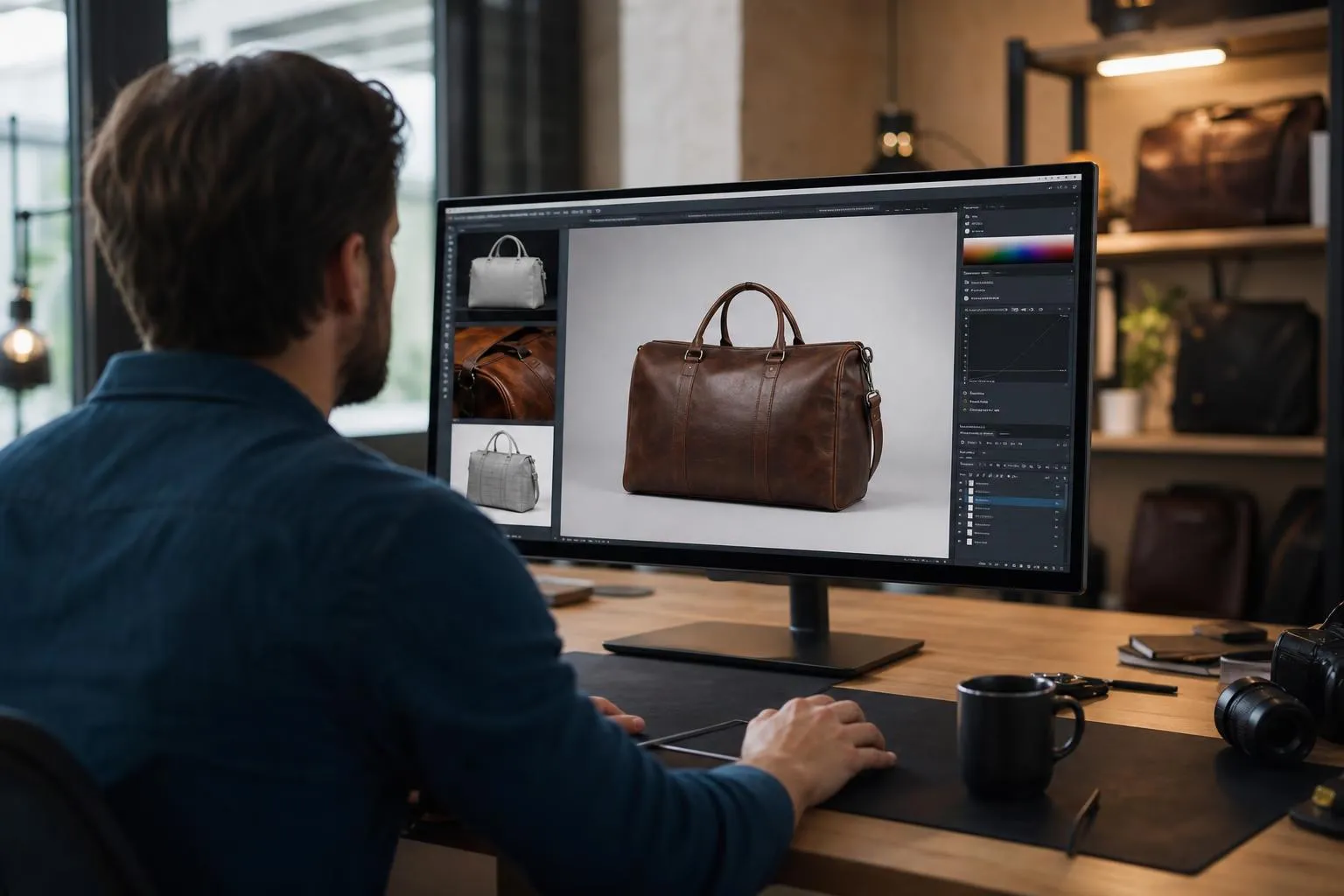
High-quality background removal is often the first step, creating a clean cutout with consistent product edges before any scene generation begins.
Step 2: Define Brand and Channel Rules
Set your visual style, camera angle, lighting direction, crop ratio, room style, marketplace dimensions, and allowed props. Doing this once (rather than per image) is what turns individual image creation into a scalable system.
Step 3: Generate or Compose Scenes
Place the product into lifestyle, studio, room, seasonal, or multi-product settings. This is where AI and CGI do the heavy lifting. The product cutout is preserved while the environment is created around it.
Step 4: Relight and Align Perspective
Shadows, reflections, scale, and light direction must make the product feel physically present in the scene. A sofa floating in a room with mismatched shadows destroys believability instantly.
Step 5: Create Variants
Generate color and material options, alternate backgrounds, different angles, crops, and channel-specific versions from the same base. This is where the “scale” happens. One approved product input can produce dozens of outputs.
For a deeper look at generating lifestyle and color variants, showcase’s guide walks through the process for Home & Living products specifically.
Step 6: Human QA
Check product truth, channel compliance, and brand consistency before anything goes live. This step is not optional. Reddit practitioners on r/GrowthHacking report that the real failure point at scale is often QA, not generation. Dedicated ecommerce image tools tend to preserve product details better than general-purpose generators, but human review remains the final gate.
Step 7: Publish and Measure
Track asset production time, cost per approved image, feed disapprovals, PDP conversion rate, add-to-cart rate, and return reasons tied to “looked different than expected.”
Reddit workflow discussions recommend separating “reference accuracy” work from “environment and mood” work and locking stable base images before generating variants. This matches what production teams learn quickly: the workflow matters as much as the model.
What Counts as a Non-Physical Product Photography Workflow?
Several distinct production methods fall under the umbrella of scaling product photography without physical shoots. They are not interchangeable.
AI product photography uses machine learning to generate or enhance product images from a product photo, cutout, or prompt. It is fast and accessible but requires careful product-integrity checks.
CGI product rendering creates photorealistic imagery from 3D models, CAD files, or digital twins. It offers precise geometric control but requires 3D asset creation and material setup. CGI vendors describe this as producing photorealistic images without shoots, models, or shipping when CAD/STEP files are available.
CAD-to-image workflows turn technical drawings, early CAD files, or sketches into photorealistic visuals before physical samples exist. This is especially valuable for pre-launch merchandising.
Virtual staging places product cutouts into realistic rooms or environments, common in furniture and interior design.
Packshot automation creates clean, marketplace-ready product images with consistent background, crop, shadow, and resolution settings applied at batch scale.
Variant generation produces approved color, material, finish, or seasonal variations without photographing each one individually.
Multi-product staging creates room scenes with multiple SKUs merchandised together, supporting cross-sell and “shop the look” strategies.
For a comparison of how AI and CGI approaches differ in practice, including cost, speed, and fidelity tradeoffs, showcase’s guide covers the decision in detail.
Home and Living Examples
Home and Living products are where scaling product photography without physical shoots gets both most valuable and most difficult. Furniture, rugs, lighting, and shelving units need believable scale, perspective, material texture, and room logic. A chair floating at the wrong height or a rug with the wrong weave pattern does more damage than a generic background mistake on a small consumer product.
Here are concrete examples of how shootless workflows apply to this category.
Sofa cutout to lifestyle room scene. A sofa cutout becomes a realistic living room PDP image, complete with warm lighting, complementary decor, and correct spatial proportions. The sofa was never moved from the warehouse. To see how this works for photorealistic lifestyle scenes, showcase walks through the process step by step.
Dining table CAD to pre-launch image. A technical drawing or CAD file becomes a photorealistic dining room scene before a physical sample exists. This lets marketing start building listings and ads weeks before the product is ready to ship.
Rug variant generation. One approved rug design becomes multiple colorways and room styles for merchandising. Instead of photographing each colorway in each room, the approved base drives all outputs.
Multi-product cross-sell room. A sofa, coffee table, rug, lamp, and shelving unit appear together in a cohesive room to support “shop the look” merchandising. This is one of the hardest images to produce physically (coordinating five products, one room set, one shoot) and one of the easiest to produce digitally from approved cutouts. showcase’s guide to multi-product staging for cross-selling explains this workflow in more detail.
Marketplace image set. One SKU receives a white-background hero, detail shots, a scale reference image, a lifestyle scene, and cropped channel variants for Amazon, Otto, and a branded Shopify store. All from one cutout.
Reddit practitioners specifically identify scale and proportion as major challenges when generating furniture imagery with AI. Claid’s furniture guide recommends specifying product dimensions, lighting direction, background elements, and human interaction to improve placement realism. These are not generic AI photography problems. They are category-specific issues that require category-specific attention.
Benefits of Scaling Product Photography Without Physical Shoots
Faster product launches. Teams can generate visuals as soon as product data, a cutout, or a CAD file is ready. No waiting for studio availability, sample shipping, or post-production queues.
Lower repeat-shoot dependence. Seasonal scenes, lifestyle contexts, and channel crops can be created without restaging the physical product. A sofa photographed once can appear in a spring living room, a winter campaign, a marketplace hero, and a social ad, all without moving the sofa again.
More PDP coverage. Brands can afford to create more useful gallery assets: scale references, detail crops, room context, variants, and cross-sell compositions. This directly addresses Baymard’s finding that 25% of ecommerce sites lacked sufficient image resolution or zoom quality for users’ evaluation needs.
Brand consistency. AI workflows can apply repeatable style rules across a catalog, solving the inconsistency problem that Shopify Community discussions flag as a conversion killer.
Variant merchandising. Color and material variations can be shown before all physical samples are available, provided references and QA are strong.
Creative testing. Teams can test different room styles, angles, crops, and ad concepts without booking new shoots. LinkedIn practitioners emphasize faster creative testing and more image variations as key benefits, though they also note that AI does not replace creative judgment.
What Can Go Wrong
The risks of scaling product photography without physical shoots are real and specific. They cluster around accuracy, not technology.
Product distortion. AI may alter shape, hardware, labels, fabric weave, grain, stitching, proportions, or logo placement. Reddit practitioners on r/AI_UGC_Marketing flag product distortion and text/label errors as the most common failure points.
Incorrect scale. This is especially damaging for furniture, rugs, lighting, wardrobes, and tables, where buyers form expectations about physical size from the image. A dining table that looks like a coffee table in the generated scene creates a return.
Color and material mismatch. If a product arrives looking different from the image, you get returns, bad reviews, and trust damage. No amount of production speed justifies this.
Marketplace rejection. Amazon and Google Shopping have specific image requirements. Main images that include the wrong background, wrong variant, overlays, or misleading staging can be rejected or suppressed.
AI metadata issues. Google Merchant Center requires generative AI images to preserve IPTC AI-generation metadata. Stripping this metadata can cause feed issues. The EU AI Act’s Article 50 transparency obligations, expected to take effect in August 2026, will add further requirements around machine-readable marking of AI-generated content.
The over-polished fake look. Community posts on LinkedIn warn that AI images can look “off” when teams skip photography principles and QA. Customers and art directors can spot poor AI work.
QA bottleneck. At scale, the limiting factor often becomes review, not generation. Teams that can produce 500 images per day but only review 50 will end up with a backlog of unverified assets, which is worse than having fewer, verified images.
At scale, the job changes from coordinating shoots to governing product truth.
Checklist Before Publishing AI or CGI Product Images
Before any AI or CGI product image goes live, it should pass these checks.
- Does the image show the exact SKU and variant?
- Is the color and material accurate to the real product?
- Are dimensions and scale believable in the scene?
- Are all visible props included with the product, or clearly contextual?
- Does the image meet the channel’s main-image rules?
- Does it meet minimum resolution and aspect ratio requirements?
- Are AI metadata tags preserved where required?
- Does the image imply a performance claim (durability, waterproofing, load-bearing) that needs substantiation?
- Does the scene hide important product limitations?
- Has a human reviewed the image at mobile PDP size and at zoom size?
Key compliance points: Amazon’s seller guidance says main images must show only the product on a white background, filling at least 85% of the frame, with no text, logos, borders, or watermarks. Google Merchant Center requires images to accurately display the correct variant, with resolution near or above 1500 x 1500 px recommended.
For teams navigating the legal side of AI-generated product images, showcase’s legal guide for ecommerce covers EU AI Act labeling, commercial rights, and compliance considerations.
Does This Replace Traditional Product Photography?
No. Not completely.
Scaling product photography without physical shoots reduces the need for repeated physical shoots, especially for catalog expansion, lifestyle variation, and channel formatting. But traditional photography still matters for exact product truth, premium hero campaigns, tactile macro detail, and regulated or high-liability categories.
Here is a practical decision framework:
| Method | Best for | Weakness | Use when |
|---|---|---|---|
| AI from cutout or source photo | Fast lifestyle scenes, background variation, seasonal assets, PDP expansion | Can distort product details if not constrained | You need many channel-ready images quickly |
| CGI or 3D render | Products with CAD, configurable furniture, complex geometry, 360/AR views | Requires 3D asset creation and material setup | You need exact control or pre-prototype visuals |
| CAD or sketch to image | Pre-launch concepts, early merchandising, design validation | Needs careful material and scale references | Physical sample does not exist yet |
| Traditional photo shoot | Exact product truth, tactile macro detail, flagship campaigns | Slow, expensive, hard to repeat for every variant | Hero campaigns, regulated categories, premium detail |
| Hybrid workflow | Most ecommerce catalogs at scale | Requires process discipline | You need accuracy plus production speed |
SLR Lounge argues that AI is reshaping product photography rather than eliminating it, with photographers’ value shifting toward creative direction, storytelling, and strategy. This matches reality. The winning approach for most brands is hybrid: use physical photography where exact tactile proof is needed, and use AI or CGI workflows to scale everything around approved product truth.
Green, Yellow, and Red Light Use Cases
Green light: proceed with confidence. Background removal and packshot cleanup. Lifestyle scenes from approved cutouts. Seasonal room scenes. Multi-product merchandising images. Color and material variants with strict references. Short product videos from approved stills. Ad creative variations. Pre-launch concepts from CAD or sketches.
Yellow light: proceed with extra QA. Highly textured fabrics, reflective materials, transparent objects, complex labels, intricate hardware. Furniture scenes where scale relative to people or room elements is critical. Marketplace main images with strict rules. Product claims shown visually (durability, waterproofing, load-bearing).
Red light: do not proceed without real photography. Final PDP images that invent or alter product features. Exact color and material representation without reference checking. Regulated or high-liability products where images imply performance claims. Main marketplace images that violate channel rules. Any image that makes a product look larger, more premium, more functional, or more included than what the buyer receives.
FTC guidance is clear: advertising claims must be truthful, not misleading, and substantiated. This applies to visual claims too.
Related Terms
AI product photography - Using machine learning to create or enhance product images from photos, cutouts, or prompts.
Virtual product photography - A digital production session where products are staged in generated or CGI environments.
Product cutout - A clean, isolated product image with the background removed.
Packshot - A standardized product image, typically on a white or neutral background, used for catalogs and marketplaces.
Lifestyle product image - A product shown in a realistic context or setting to help buyers visualize ownership.
Relighting - Adjusting the lighting and shadows of an existing product image to match a new scene or brand style.
CAD-to-image - Converting technical drawings or 3D CAD files into photorealistic product visuals.
Multi-product staging - Placing multiple SKUs together in one scene for cross-sell or “shop the look” merchandising.
C2PA and Content Credentials - A standard for recording the provenance of digital assets, including whether they were AI-generated or edited. C2PA defines content provenance as recorded facts about a digital asset’s history, though metadata can be stripped by platforms, so it should be treated as one part of governance rather than a complete trust solution.
IPTC DigitalSourceType metadata - A metadata field used to indicate how an image was created, including whether generative AI was involved. Required by Google Merchant Center for AI-generated product images.
Marketplace-ready image - A product image that meets all technical and content requirements for a specific sales channel.
Frequently Asked Questions
Is scaling product photography without physical shoots the same as AI product photography?
AI product photography is one way to scale without physical shoots, but the broader concept also includes CGI rendering, CAD-to-image workflows, virtual staging, background removal, relighting, upscaling, and automated export pipelines. AI is part of the toolkit, not the whole toolkit.
Do I still need a real product photo to start?
Usually yes, at least for final ecommerce assets. The best workflows anchor on real product references: cutouts, approved packshots, CAD files, material swatches, or technical drawings. Practitioners on Reddit warn that unconstrained AI generation can hallucinate product details, labels, and proportions. “Without a physical shoot” usually means “without a new shoot for every output,” not “without any real product reference.”
Can AI-generated product images be used on Amazon or Google Shopping?
They can, if they accurately represent the product and meet channel-specific rules. Amazon main images must show only the product on a white background with no overlays. Google Merchant Center requires accurate product and variant representation and mandates that AI-generated images preserve IPTC metadata indicating generative AI use. Secondary and lifestyle images have more flexibility on both platforms.
What products are hardest to generate without a physical shoot?
Products with intricate texture, transparent or reflective materials, complex labels, detailed stitching, exact fabric drape, or scale-sensitive dimensions are the hardest. Furniture and Home and Living visuals need particular care because room scale, perspective, shadows, and material fidelity all affect buyer trust. A rug with the wrong weave or a lamp at the wrong scale relative to a table can trigger returns.
How do I measure whether this workflow is actually working?
Track asset production time, cost per approved image, QA approval rate, marketplace feed disapprovals, PDP conversion rate, add-to-cart rate, image click-through rate in ads, return reasons tied to “looked different,” and creative testing velocity. The evidence from Baymard, Etsy, and Salsify all supports the premise that product imagery directly influences evaluation and buying confidence.
Will the EU AI Act affect how I use AI product images?
The EU AI Act’s Article 50 transparency obligations are expected to take effect in August 2026. These include requirements around machine-readable marking of AI-generated content and labeling obligations in defined cases. The European Commission is preparing guidance and a code of practice. For ecommerce teams operating in or selling to EU markets, preserving AI metadata and preparing for disclosure requirements is a practical step to take now, not later.
Does this completely eliminate the need for studio photography?
No. It reduces the need for repeated shoots, especially for catalog expansion, lifestyle variation, channel formatting, and variant coverage. Traditional photography still produces the best results for exact product truth, premium hero campaigns, tactile detail, and cases where the actual product must be verified visually. Most successful ecommerce teams use a hybrid approach.
Further Reading
- Photorealistic Lifestyle Images for Home and Living
- AI vs. CGI Product Images: Guide 2026
- AI Product Images and Ecommerce Legal Guide 2026
Ready to scale your Home and Living product visuals without repeated studio shoots? Start building your catalog on showcase’s AI studio, no credit card required.
About the author

Author
Tim Hoffmann
Chief Product Officer, getshowcase.ai
Tim Hoffmann leads the product strategy for the AI image studio at showcase (getshowcase.ai). He brings years of e-commerce experience in product data, marketplace integrations, and visual content creation. His focus: helping Home & Living retailers turn product cutouts into photorealistic lifestyle images and room scenes in minutes - without expensive shoots, with measurably better conversion. Tim shares practical strategies for product images that perform on marketplaces and in your own shop.